Checkout Settings
An overview of the Checkout Extension and how to access the Shopify Checkout Editor.
The Checkout Pages section in Imprint is your gateway to offering instant downloads.
Think of this page as a "launchpad." Since the actual checkout design is controlled securely by Shopify, you won't edit the layout here directly. Instead, this page guides you on how to enable our Digital Files Checkout Extension.
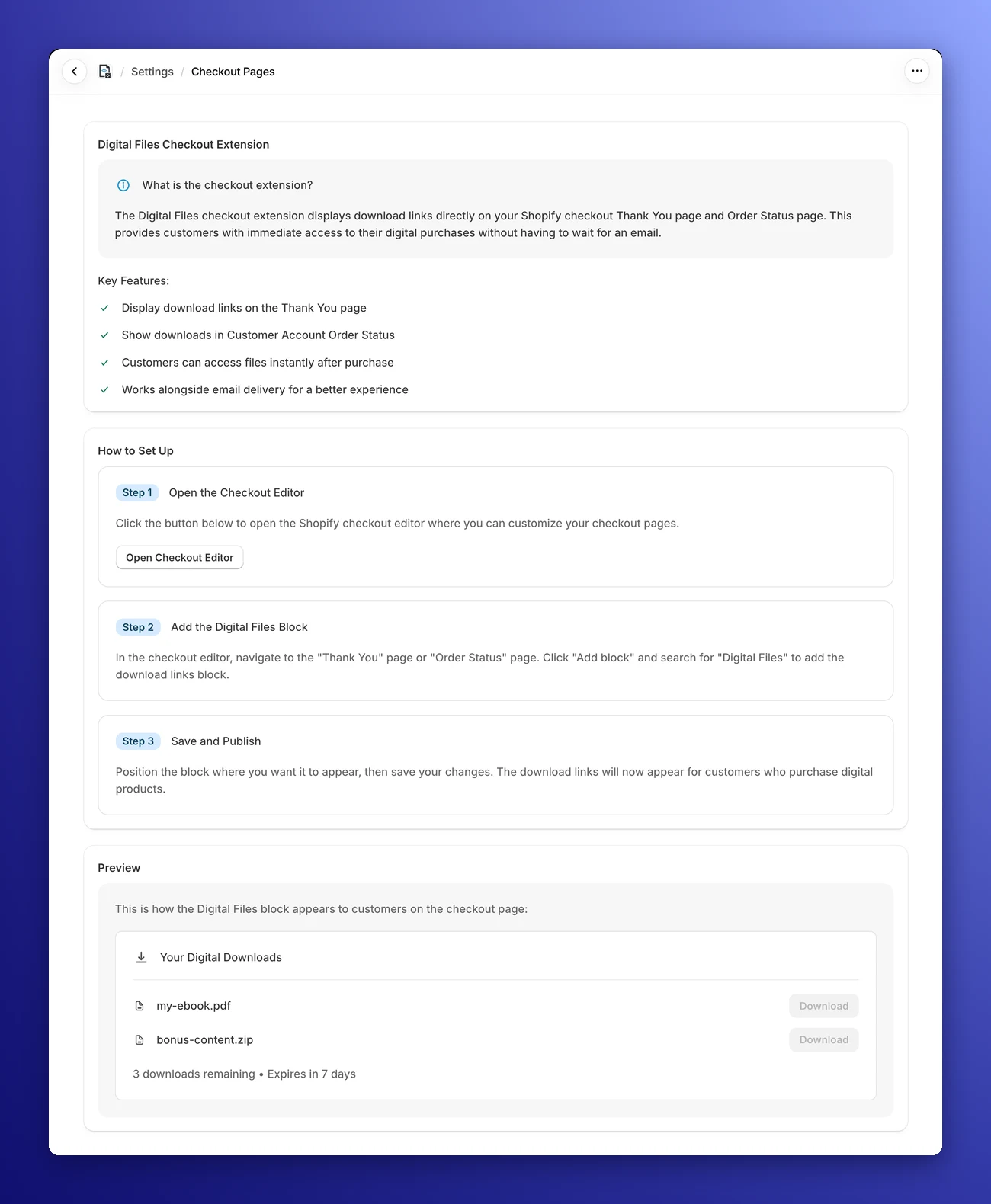
On the Free plan, this page shows an upgrade banner and the setup steps are locked.
⚡ Why enable the Checkout Extension?
By default, customers have to wait for an email to get their files. By adding this extension, you upgrade their experience significantly:
- Instant Gratification: Customers can access files instantly after purchase, right on the "Thank you" page.
- A Place to Come Back To: The same block on the "Order status" page in your customer accounts lets customers download their files again later.
- Fewer Support Emails: Since they don't have to check their spam folder for a download link, they are less likely to email you asking "Where is my file?".
- Dual Delivery: This works alongside email delivery, ensuring there is always a backup way for customers to get their goods.
🛠️ How to access the Editor
To start customizing, simply follow the instructions on this page:
- Open the Editor: Click the Open Checkout Editor button. This opens a new tab with the Checkout settings of your Shopify admin, where you can customize your checkout pages.
- Follow the Guide: The settings page outlines the three steps you'll need to take: Open the Checkout Editor, Add the Digital Files Block, and Save and Publish.
The Preview at the bottom of the page shows roughly how the Digital Files block looks to your customers.
Follow the guide
Check the step-by-step guide on how to add the checkout extension on your shop.