Quick Start Guide
Get your first secure digital product live and ready to sell in less than 2 minutes.
To start selling, you only need to do three things: have a product in Shopify, connect it to Imprint, and upload your files.
Imprint is designed to work out of the box. We have sensible defaults set up so you don't need to tweak complex settings just to get started.
Here is how to go live in 4 easy steps:
Create your Product in Shopify
First, you need a product to sell!
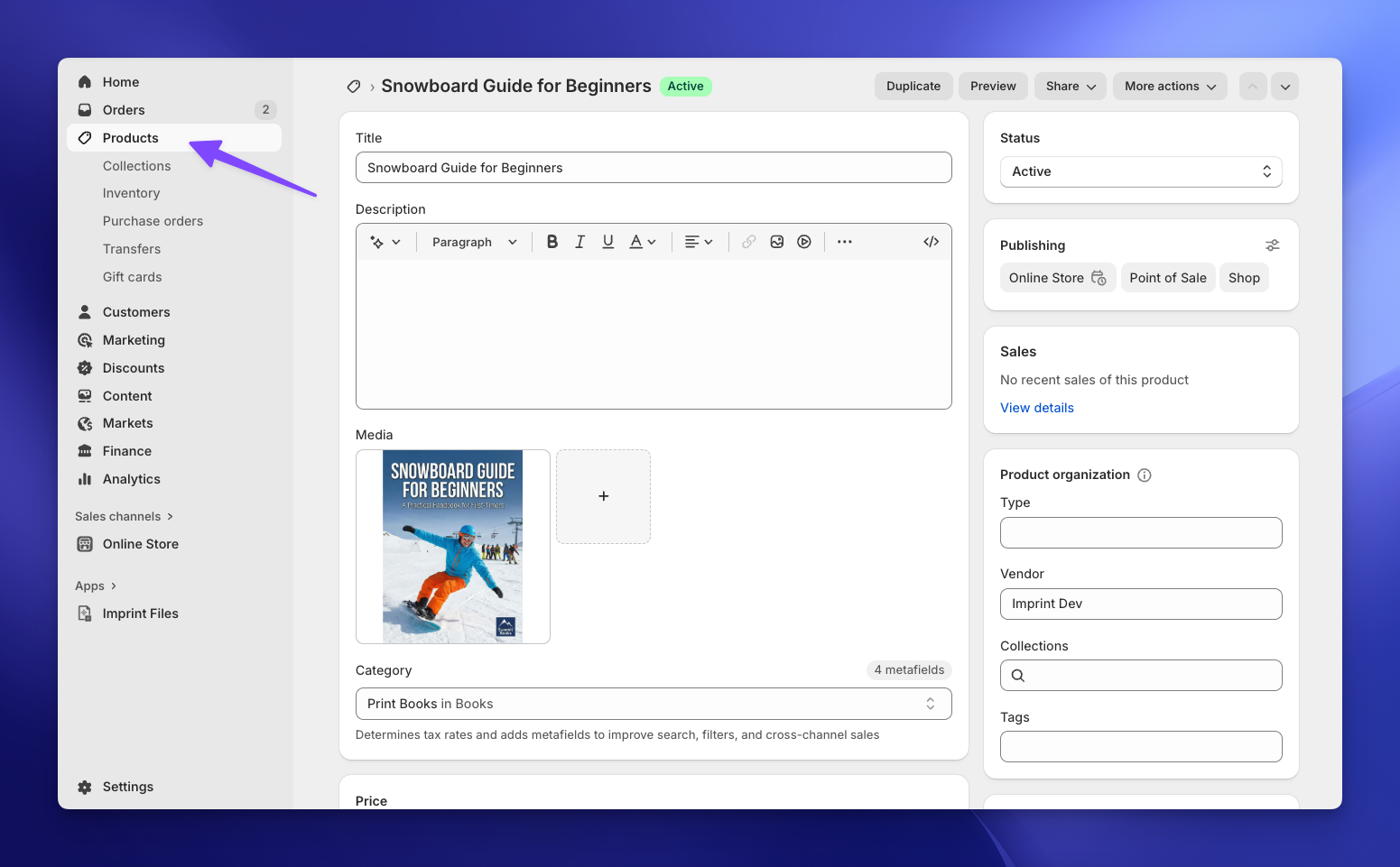
- Go to your Shopify Admin → Products.
- Create a new product or choose an existing one.
- Important: Make sure to uncheck "This is a physical product" if you don't want to deal with shipping settings.
If you already have products in your store, you can skip this step!
Import the Product to Imprint
Now, let's tell Imprint which product needs a file.
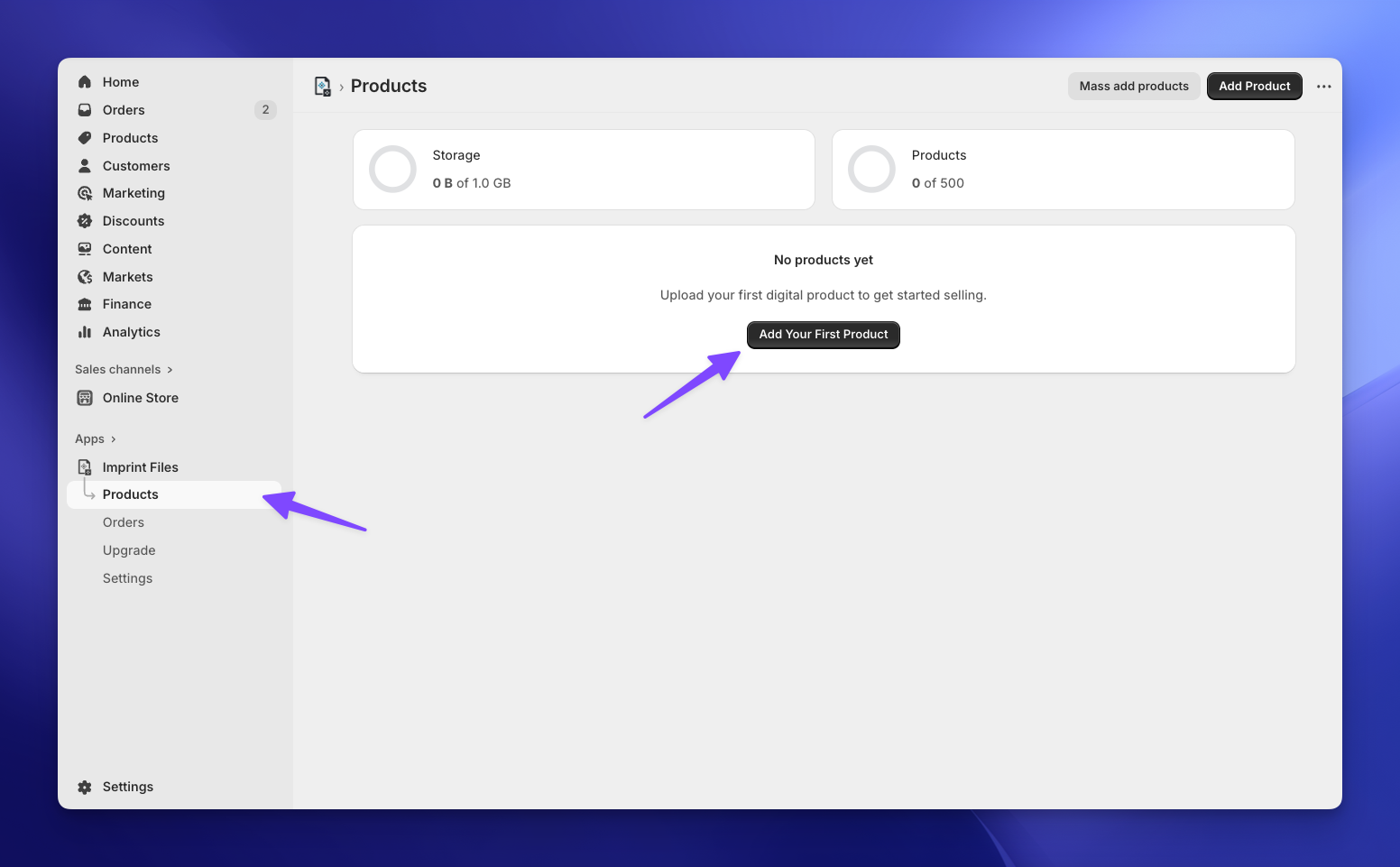
- Open the Imprint app and go to the Products page.
- Click the Add Your First Product button (or Add Product if you already have some).
- Click Browse products, select the Shopify product you just created, and hit Select.
Upload Your Files
Now for the digital goods! 📦
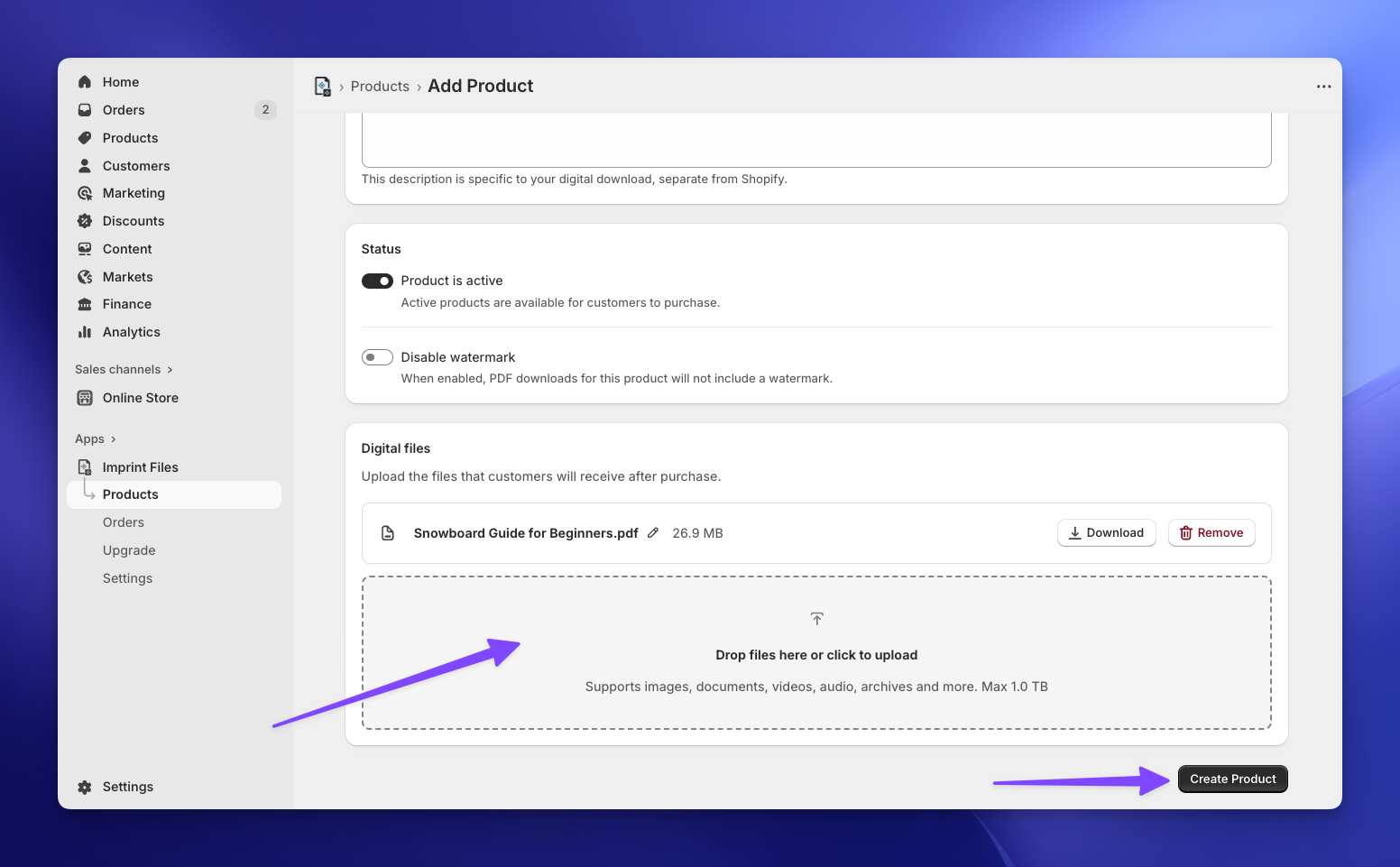
- On the product page within Imprint, you'll see a file uploader area.
- Simply drag and drop your PDF (or another file, like a video or a ZIP archive) into the box, or click to browse.
- Once uploaded, click Create Product.
You are Good to Go! 🎉
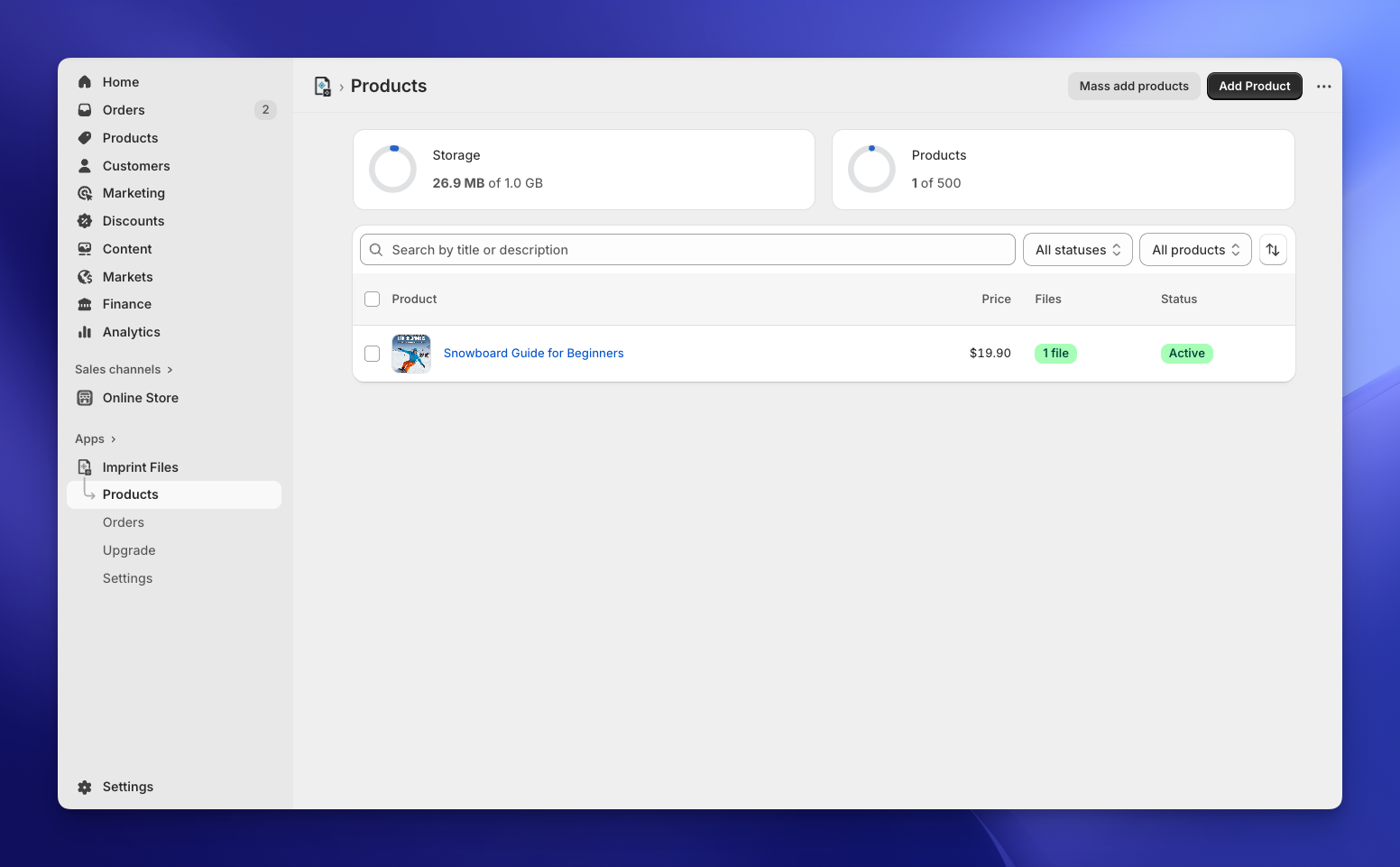
That's it! Your product is now live and protected.
From now on, whenever a customer buys this product, Imprint will automatically generate a secure unique link and email it to them instantly. PDFs are watermarked with the customer's details as they download them, and the digital items are marked as fulfilled in Shopify. You don't need to lift a finger.
Explore Further
Now that you have the basics down, here is how to take your store to the next level:
Customize the experience
Check the complete Products Documentation to learn about download limits and expiration dates.
Instant Access
Learn how to add download buttons directly to the Thank You and Order Status pages so customers don't even have to check their email.
Make your watermark yours
Choose what gets stamped on your PDFs, where it goes and how it looks.
Trace leaked copies
Give every download its own code, so a shared file can be traced back to the order it came from.
Good to know: Imprint follows the language of your Shopify admin, and your customers get their emails and downloads in the language they shopped in. It's available in English, French, German, Spanish, Italian, Portuguese (Brazil), Japanese, Greek, Hungarian, Polish and Turkish.